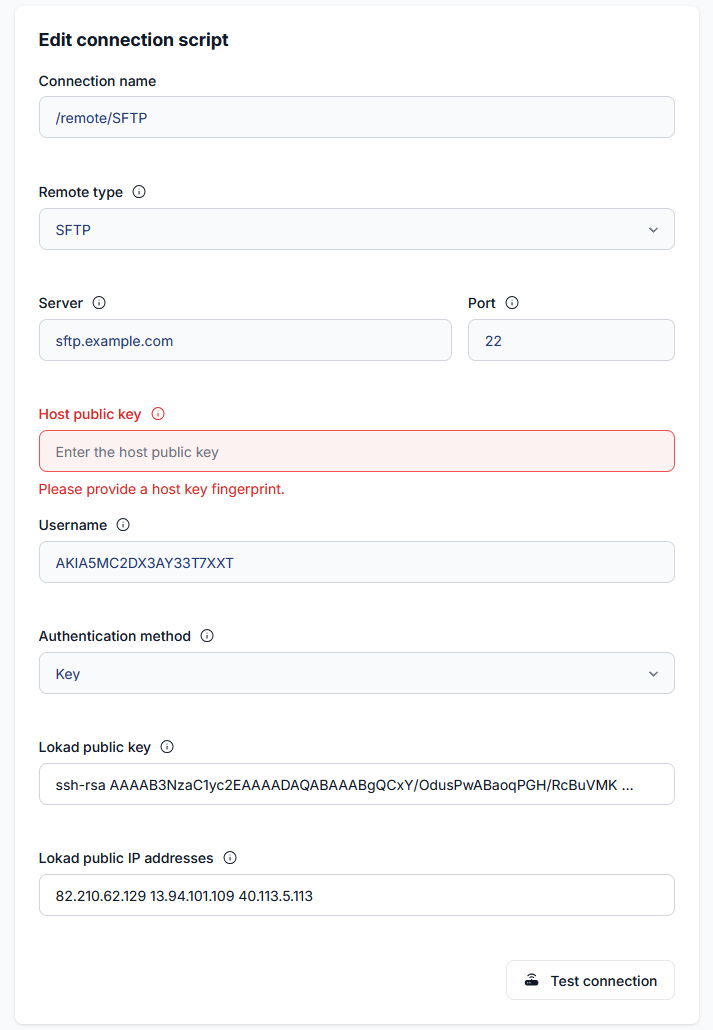
Connection scripts
A connection script defines the remote endpoint and authentication used by a transfer script. The following remote types are supported:
| Remote type | Authentication | Endpoint |
|---|---|---|
| SFTP | Username and password, or SSH public/private key pair | Server and port; the host public key identifies the server |
| Explicit FTPS | Username and password | Server and port, default 21 |
| Implicit FTPS | Username and password | Server and port, default 990 |
| Amazon S3 | Access key and secret access key | Bucket endpoint, including S3-compatible storage |
| Azure Blob Storage | Shared access signature (SAS), or account name and account key | HTTPS Blob endpoint |
| HTTPS | Anonymous; no credentials | Public hostname on port 443; downloads only |
S3 and Azure endpoints
For S3, the host field accepts bucket addresses such as s3://example-bucket
or example-bucket.s3.eu-west-3.amazonaws.com. Advanced Configuration
provides explicit bucket, region, and Force Path Style settings for
endpoints that need them.
For Azure Blob Storage, SAS authentication requires the Blob endpoint and
the shared access signature. Account-key authentication requires the account
name and key; the endpoint defaults to https://[account].blob.core.windows.net
if left empty. The authentication fields take the individual values, not
the whole Azure connection string.
HTTPS connections
The host field contains only a hostname, such as cdn.example.com, without
https://, a path, credentials, or a port. The transfer’s remote root and
source paths determine the requested files. Literal filename characters
are URL-escaped; sources are not full URLs. Query strings and redirects
are not supported.
HTTPS supports only GET with an exact source file path. It does not support
directory listings, wildcard or recursive sources, uploads, remote mutations,
or remote modification-date queries. Downloads are unconditional across runs;
Newer cannot compare remote timestamps. Each file is limited to 64 MiB and
a 100-second download deadline.
See transfer syntax for actions and flags, and download files over HTTPS for a complete example.